Settings Workspace
Central admin surface for shared configuration
Tabs
The Settings app includes:
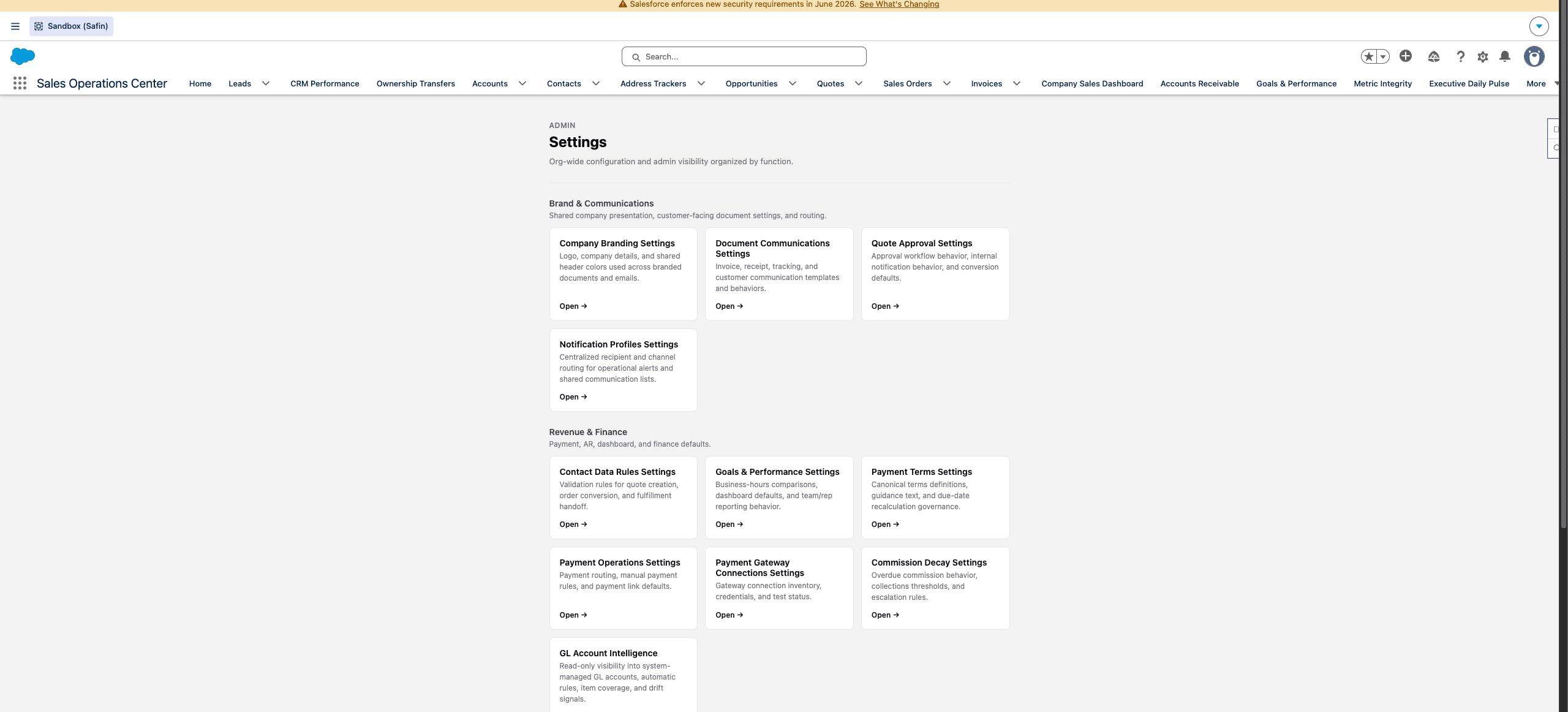
Safin dev sandbox Settings Home, captured from the browser content area without Chrome tabs or desktop chrome.
| Tab | Purpose |
|---|---|
| Settings Home | Entry point for admin settings. |
| Email & Notifications Settings | Org-wide branding, shared action-button styling, notification routing, and email templates. |
| Contact Data Settings | Contact data behavior and validation settings. |
| Quote Approval Settings | Approval thresholds, routing, and reviewer behavior. |
| Order Email Settings | Order, invoice, tracking, and payment email configuration. |
| Payment Term Settings | Payment term definitions and recalculation settings. |
| 3PL Runtime Settings | Provider runtime, alerting, scheduling, and operational flags. |
| Purchase Order Settings | PO workflow configuration. |
| Item Notification Settings | Item setup and inventory notification routing. |
| Payment Operations Settings | Runtime toggles for payment automation. |
| Payment Gateway Connections | Gateway inventory, status, and replacement workflows. |
| Finance GL Controls Dashboard | Report-backed GL setup health, posting readiness, and classification exceptions. |
| Metric Integrity Dashboard | Dashboard issue monitoring. |
| Executive Daily Pulse | Broad executive operational dashboard. |
| Org Holidays | Business calendar and holiday configuration. |
| Commission Decay Settings | Commission decay administration. |
Change Control
Use settings screens for changes and keep notes on why values changed. For high-risk settings, verify the related workflow after saving:
- Quote approval settings: submit and review a test quote.
- Payment operations settings: confirm scheduler state and automation toggles.
- Payment gateway changes: confirm route/token readiness and historical transaction behavior.
- 3PL runtime settings: confirm provider schedules and a safe refresh path.
- GL settings: confirm item setup and GL posting readiness reports.
For sandbox or production migration, copy source-of-truth settings with
scripts/settings/migrate-org-config.mjs before validating historical data.
The script migrates branding files, order email settings, and operational
hierarchy settings so these values do not become manual launch checklist items.
Payment terms are source-managed static records; deploy the project and let
PaymentTermsService seed or repair the canonical catalog.
QA Links
Use these direct tab URLs in Vesper QA when available:
| Setting | QA URL |
|---|---|
| Settings Home | https://exodus--vesper.sandbox.lightning.force.com/lightning/n/Settings_Home |
| Payment Gateway Connections | https://exodus--vesper.sandbox.lightning.force.com/lightning/n/Payment_Gateway_Connections |
| Payment Operations Settings | https://exodus--vesper.sandbox.lightning.force.com/lightning/n/Payment_Operations_Settings |
| 3PL Runtime Settings | https://exodus--vesper.sandbox.lightning.force.com/lightning/n/ThreePL_Runtime_Settings |
| Finance GL Controls Dashboard | https://exodus--vesper.sandbox.lightning.force.com/lightning/n/Finance_GL_Controls_Dashboard |
Last updated on